

Table of Content
- What Does “Crawled - Currently Not Indexed” Mean?
- Crawled vs. Indexed: What's the Difference?
- Is “Crawled - Currently Not Indexed” an Error?
- Why Is Google Crawling a Page but Not Indexing It?
- How to Fix “Crawled - Currently Not Indexed” in Google Search Console
- How to Check Whether the Page Has Been Indexed
- Crawled - Currently Not Indexed vs. Discovered - Currently Not Indexed
- How Long Does It Take for Google to Index a Crawled Page?
- When Should You Be Concerned About “Crawled - Currently Not Indexed”?
- Crawled - Currently Not Indexed: Quick Fix Checklist
- Frequently Asked Questions
- Conclusion
If you have checked Google Search Console and seen the status "Crawled - Currently Not Indexed" next to one of your pages, you are not alone. It is one of the most common indexing statuses website owners come across, and it can be confusing since there is no clear error attached to it.
This status often shows up for pages that look perfectly fine to a normal visitor, which makes it even harder to figure out what is holding them back. Some pages fix themselves after a few weeks, while others stay stuck in this state for months without any action from you.
This guide explains what the status means, why it happens, and the steps you can take to get your page properly indexed.
What Does "Crawled - Currently Not Indexed" Mean?
This status means Googlebot has visited your page, read the content, and chosen not to store it in the index yet. The page exists, Google knows about it, but it is not eligible to appear in search results until it gets indexed.
This is different from a page being blocked or broken. There is usually no technical error stopping the page from being indexed. Google simply looked at it and decided, for now, that it is not worth including.
Crawled vs. Indexed: What's the Difference?
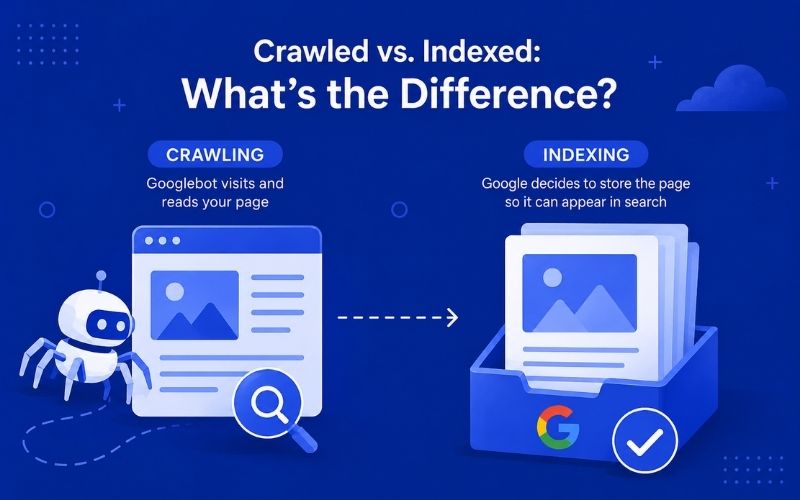
Crawling and indexing are two separate steps, and mixing them up is where a lot of confusion starts.
Crawling is when Googlebot visits a URL and reads its content, links, and code. Indexing is the next step, where Google decides to store that page's information so it can be shown for relevant searches.
A page can be crawled hundreds of times and still never get indexed. Crawling gets a page noticed. Indexing gets it into the game.
Is "Crawled - Currently Not Indexed" an Error?
Technically, no. Google does not classify this as an error in the strict sense, which is why you will not find a red warning icon attached to it the way you would with a 404.
That said, calling it "not an error" does not mean it is nothing to worry about. If important pages sit under this status for weeks, it is a signal that something about the page is not convincing Google it deserves a spot in the index. The crawled currently not indexed error label gets used loosely by SEOs, and while it is not a hard technical failure, it behaves like a soft rejection that needs attention.
Why Is Google Crawling a Page but Not Indexing It?
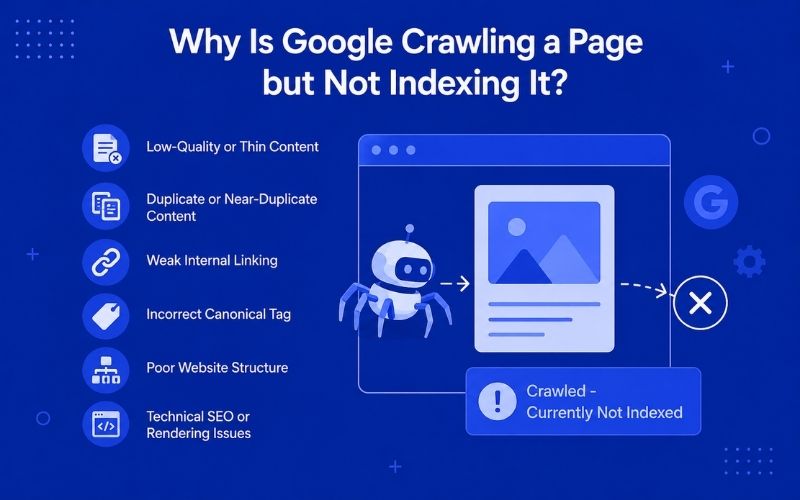
There is rarely one single reason. Usually, it is a mix of content quality, site structure, and technical signals working against the page. Here are the most common causes.
Low-Quality or Thin Content
Thin content is one of the biggest reasons pages get stuck in this status. If a page has very little unique text, answers a question in two lines, or reads like a placeholder, Google often decides it does not add enough value to the index. Product pages with no descriptions and short blog posts are frequent offenders.
Duplicate or Near-Duplicate Content
Duplicate content SEO issues are another major trigger. If your page says almost the same thing as another page on your site, or copies content that already exists elsewhere on the web, Google may choose to index only one version and skip the rest. This includes near-duplicates too, such as city or location pages with only the city name swapped out.
Weak Internal Linking
Pages that sit isolated with few or no internal links pointing to them often get deprioritized. Internal linking SEO signals tell Google which pages matter most on your site. A page buried deep with zero links pointing to it looks unimportant, even if the content itself is fine.
Incorrect Canonical Tag
Sometimes the page itself is fine, but a canonical tag is telling Google to index a different URL instead. This happens more often than people expect, especially after site migrations or CMS updates that auto-generate canonical tags incorrectly.
Poor Website Structure
A confusing site architecture makes it harder for Google to understand how pages relate to each other and which ones deserve priority. If your navigation and category structure are messy, some pages simply do not get the crawl priority they need.
Technical SEO or Rendering Issues
Pages that rely heavily on JavaScript to load content can sometimes get crawled before the content fully renders. If Googlebot sees a mostly empty page during rendering, it may decide there is nothing worth indexing, even if a human visitor sees a fully loaded page. This is just one of several common technical SEO issues businesses face that can quietly block indexing, so it is worth reviewing your site for related problems too.
Steps to Fix “Crawled - Currently Not Indexed”
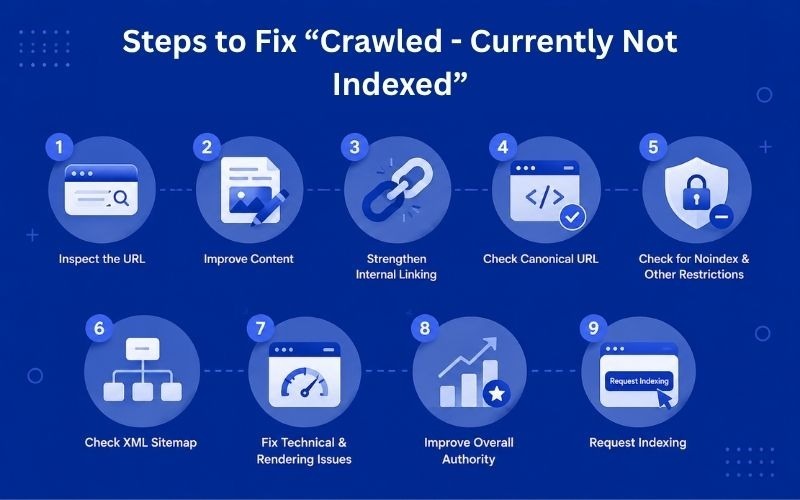
Here is the practical part. Follow these steps in order rather than jumping around.
1. Inspect the URL in Google Search Console
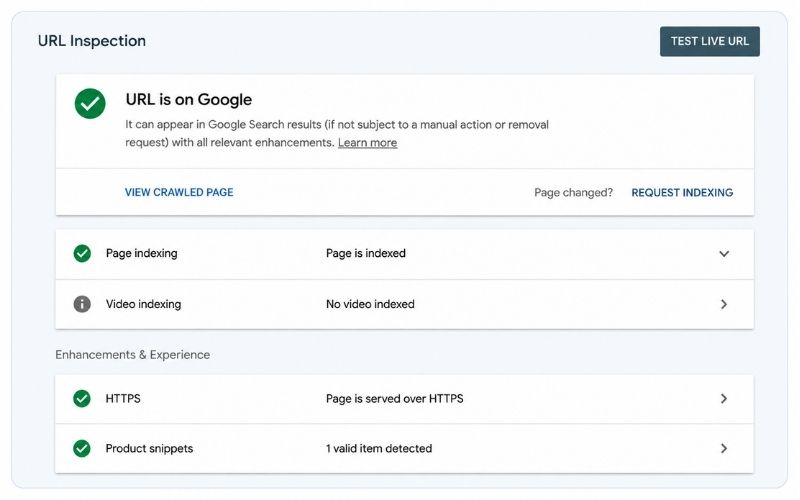
Start with the Google Search Console indexing report itself. Paste the affected URL into the URL Inspection tool.
Check the URL's Indexing Status: This tells you what Google saw the last time it crawled the page, including the discovered date and the exact status reported.
Use "Test Live URL."This runs a fresh crawl in real time and shows you what Google would see right now, useful for spotting rendering problems or recent fixes that have not been picked up yet.
2. Improve the Page Content
Remove Thin or Unnecessary Content: If the page is short, expand it with genuinely useful information. Do not pad it with filler. Add specifics, examples, and answers to related questions your audience is actually searching for.
Match Search Intent: Look at what is currently ranking for your target keyword and check whether your page satisfies the same intent. A product page trying to rank for an informational query, or vice versa, often struggles to get indexed regardless of content quality.
3. Strengthen Internal Linking
Add links to the page from other relevant, already-indexed pages on your site. Use natural anchor text and place these links in content that actually gets traffic, not just in a footer nobody clicks. Getting this right across a larger site is easier with a structured audit. That's where the professional SEO services Dubai businesses use for internal linking strategy can help.
4. Check and Fix the Canonical URL
Open the page source and confirm the canonical tag points to itself, unless you deliberately want it to point elsewhere. Fix any mismatched canonical tag SEO issues you find.
5. Check for Noindex and Other Indexing Restrictions
Confirm there is no accidental noindex tag, a disallow rule in robots.txt, or an X-Robots-Tag header blocking the page without your knowledge.
6. Check Your XML Sitemap
Make sure the URL is included in your sitemap and that the sitemap itself is submitted correctly in Search Console. A missing sitemap entry can quietly reduce a page's priority.
7. Fix Technical and Rendering Issues
Test how the page renders using the URL Inspection tool's rendered HTML view. If key content is missing from the rendered version, work with your developer to fix how the JavaScript content loads.
8. Improve the Page's Overall Authority
Pages that receive external mentions, backlinks, or consistent traffic tend to get reindexed faster after fixes. Improving overall website architecture SEO helps every page on the site, not just the one you are troubleshooting. If you are managing this across a growing site, working with an experienced SEO agency in Dubai that businesses trust can help you build that authority systematically instead of fixing pages one at a time.
9. Request Indexing After Making Changes
Once you have made real improvements, use the "Request Indexing" option inside the URL Inspection tool, so Google knows to take another look sooner rather than waiting for its next crawl cycle.
How to Check Whether the Page Has Been Indexed
Using the site: Search Operato
Type site:yourdomain.com/exact-page-url into Google search. If the page shows up, it is indexed. If nothing appears, it is not.
Using URL Inspection in Search Console
This is the more reliable method since it comes directly from Google's own data rather than a public search query that can behave inconsistently.
Crawled - Currently Not Indexed vs. Discovered - Currently Not Indexed
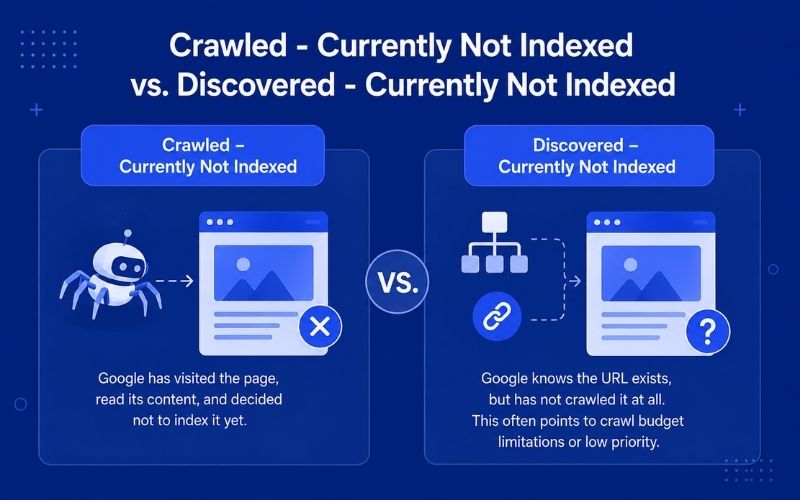
These two statuses sound similar but describe different stages.
Crawled - Currently Not Indexed
Google has crawled the page and reviewed its content but has decided not to add it to its index yet.
In most cases, this means something is preventing the page from being considered valuable enough to index. The issue could be related to the content, weak internal linking, or technical signals such as an incorrect canonical tag. Simply waiting may not fix the problem, so it is important to identify and resolve the underlying issue.
Discovered - Currently Not Indexed
Google knows the URL exists, usually through a sitemap or a link, but has not crawled it at all. This often points to crawl budget limitations or low priority assigned to that URL.
This is usually less about the page's content and more about how Google is allocating its crawl budget across your site, and it tends to show up more often on larger sites or on pages buried deep in the structure.
How Long Does It Take for Google to Index a Crawled Page?
There is no fixed timeframe for indexing, and anyone who gives you an exact number of days is simply guessing. The time it takes depends on factors such as your website’s authority, how often Google crawls your site, server performance, and how much the page has actually improved.
Smaller websites with strong, useful content may get reindexed within a few days. On the other hand, larger or lower-authority websites may take several weeks, even after the necessary fixes have been made.
When Should You Be Concerned About "Crawled - Currently Not Indexed"?
Not every instance of this status needs urgent action. Be concerned when a genuinely important page, like a core service page, sits unindexed for an extended period. Also pay attention when a large group of URLs across the site shares this same status, since that usually points to a site-wide issue rather than a one-off page problem. If the status persists for months despite real content and technical improvements, something deeper needs to be reviewed.
You should also pay attention if many URLs across your website show the same status, as this could indicate a larger site-wide issue. If the problem continues for months even after improving the content and fixing technical issues, it may be time to take a closer look and identify any deeper problems.
Crawled - Currently Not Indexed: Quick Fix Checklist
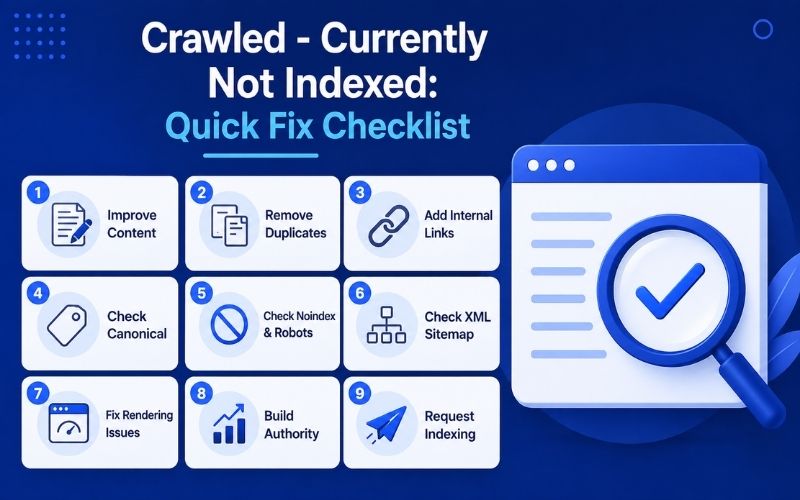
- Expand thin content with real, specific information
- Remove or consolidate duplicate and near-duplicate pages
- Add internal links from relevant, indexed pages
- Confirm the canonical tag points to the correct URL
- Check for accidental noindex tags or robots.txt blocks
- Confirm the URL is present in your XML sitemap
- Test rendering to catch JavaScript or technical issues
- Build overall page and site authority over time
- Request indexing again after changes are live
Frequently Asked Questions
How do I fix Crawled - Currently Not Indexed?
Improve content quality, fix internal linking, confirm the canonical tag is correct, remove any accidental noindex restrictions, and request indexing again through Search Console.
Why is Google crawling but not indexing my page?
Usually thin or duplicate content, weak internal linking, canonical tag issues, poor site structure, or rendering problems that make the page look less valuable than it actually is.
Should I request indexing for a Crawled - Currently Not Indexed page?
Yes, but only after making meaningful improvements. Requesting indexing on an unchanged page rarely helps.
Does Crawled - Currently Not Indexed hurt SEO?
It carries no penalty, but an unindexed page cannot rank or bring in organic traffic, so it holds back overall performance.
How long does Google take to index a crawled page?
There is no guaranteed timeframe. It can range from a few days to some weeks depending on site authority, crawl frequency, and the scale of improvements made.
What is the difference between Crawled and Discovered - Currently Not Indexed?
Crawled means Google has already visited and read the page. Discovered means Google only knows the URL exists but has not crawled it yet.
Conclusion
It usually comes down to a page not doing enough to earn its place, whether that is thin content, duplicate pages, weak internal linking, or a canonical tag pointing somewhere else. The fix is rarely complicated. Strengthen the content, clean up the technical signals, connect the page properly within your site structure, and give Google a reason to trust it. Do that and request indexing again, and most pages find their way into the index without much further trouble.
At AONE SEO Service, we help businesses resolve indexing problems like this through technical SEO audits, content improvements, and internal linking fixes that give Google clear signals about which pages actually matter on your site. Getting a page crawled and indexed reliably comes down to the same fundamentals search engines have always rewarded: solid content, clean technical signals, and a site structure that connects pages properly. Our professional SEO services in Dubai cover technical audits, content fixes, and internal linking strategy so your pages stop sitting unindexed and start ranking.
Contact us today to discuss your SEO requirements. Call us on +971585641811 or email us at info@aoneseoservice.ae.