

Table of Content
- What Are Internal Links?
- The Benefits of Internal Linking for SEO
- Different Types of Internal Links
- Best Practices for Internal Linking
- How to Create a Hyperlink in HTML for Internal Linking?
- Conclusion
- Frequently Asked Questions (FAQs)
Every business and SEO specialist has one goal in mind: to develop the best strategies to bring the business higher in rankings on SERPs. But applying SEO strategies can be complex if the number of pages on a website is in the thousands. Technical optimisations and backlinks are usually on the to-do list. Internal links are often ignored or underused.
So many website owners forget to interlink their pages and blogs. They are not aware that internal linking can play a huge role in boosting the rankings of your webpages. They support your SEO by bringing in traffic.
The following blog goes into detail about internal links. By the end of this blog, you will have enough knowledge about internal links and the importance of internal linking.
What Are Internal Links?
In simple terms, internal links are hyperlinks that connect one webpage to another within the same domain. They guide visitors and search engines to easily navigate through your website. Search engines such as Google use internal links to find and index new pages within the same domain.
To understand why this matters, it helps to know how search engines crawl websites and discover content in the first place. When Googlebot crawls a website, it follows links from page to page to build a picture of your site's structure. A page with no internal links pointing to it may never be crawled or indexed at all. A strong SEO internal linking strategy addresses this directly, making it beneficial for the entire website's visibility.
The Benefits of Internal Linking for SEO
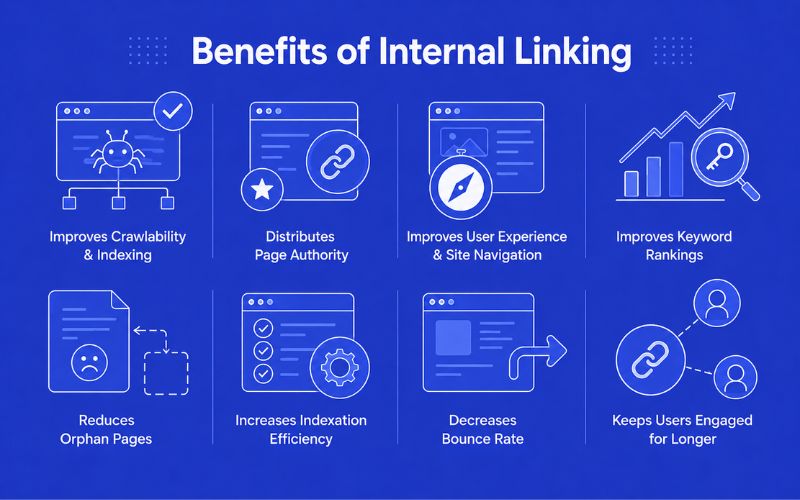
Now, let’s take a look at the various benefits of using internal links on your website:
Improves Website Crawlability and Indexing
Search engines “crawl” through your website to understand and learn what your content is. By navigating using internal links, Google and other search engines can easily find information. If you do not have any links on your webpages, then Google might just stop at one page. That's it. As highlighted in the Google Search Central blog on link architecture, writing descriptive anchor text within a crawlable link structure is a key signal that helps Google better understand and index your site.
Distributes Page Authority (Link Equity)
Link equity is the measure of authority that a link passes from one page to the next. Every link on your website carries some of this value. You can spread link equity by linking as many relevant pages as possible. For instance, if you have a page that is ranking very high, you can add contextual links from it to other lower-ranking pages. This increases the authority of those pages and, over time, their rankings.
This is also why your URL structure plays a role in how effectively link equity flows through a site. Clean, keyword-rich URLs that clearly signal page topics help search engines assign the right context when authority is passed through a link. If you have not yet reviewed your URL structure, our guide on how to create SEO-friendly URLs explains the best practices that work alongside a strong internal linking setup.
Improves User Experience and Site Navigation
You can add internal links in your content to make it easier for users to dig deeper and get more information regarding the content. For example, in a blog post, you can add links to a guide or blog as “Learn More About This” to show users that they can learn more in detail about this topic.
Internal link building also allows users to easily navigate the website. If your internal links are useful and engaging, it will keep the users on the site. Examples of such links include FAQ pages and e-commerce pages.
Improves Keyword Rankings
Let’s admit it, not all the pages on your website are equally valuable to your customers as some pages. The handful of pages that rank high and are popular can be your key to improving the rankings of other, less popular pages. You can do this by interlinking those webpages with high-ranking keywords to the pages that have low-ranking keywords. This will significantly boost the ranking of those keywords.
Reduces Orphan Pages
Web pages that have no links pointing to them from elsewhere on your website are known as orphan pages. Orphan pages are difficult for users and search engines to discover. By strategically linking related content on those orphan pages, you can improve crawlability, user navigation, and overall SEO performance.
Increases Site Indexation Efficiency
Internal links can also help you properly organise the content on your website. By strategically linking pages, you can establish a hierarchy. A proper internal linking structure of a website will provide a clear roadmap for search engines like Google and Bing to navigate your website more efficiently. As a result, it improves the indexing efficiency of your website.
Decreases the Bounce Rate
If a user leaves your page in a short amount of time, the bounce rate of your webpage will be much higher. Internal linking essentially solves this problem. As you might have already known by now, one of the major benefits of internal links is to keep the user engaged as much as possible. Many businesses work with the best SEO company in Dubai to implement effective internal linking strategies that improve engagement and SEO performance.
Different Types of Internal Links
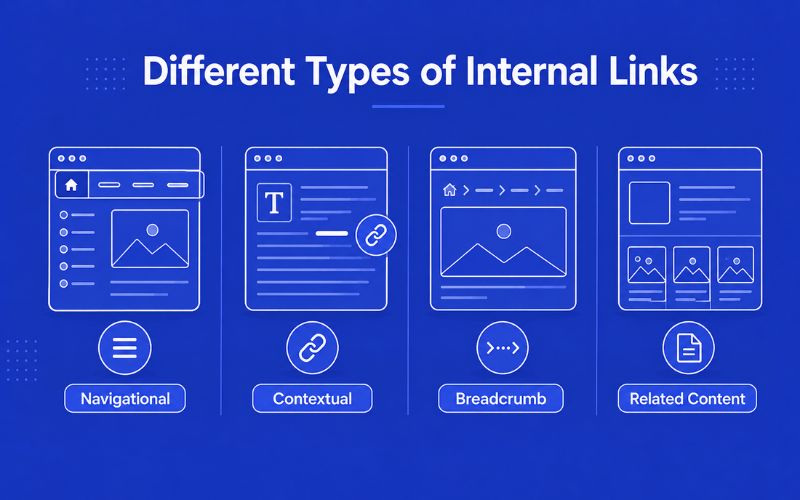
Contextual links: These are also called editorial or in-line links. They appear naturally in the flow of the content and offer detailed information regarding the content.
Best Practices for Internal Linking
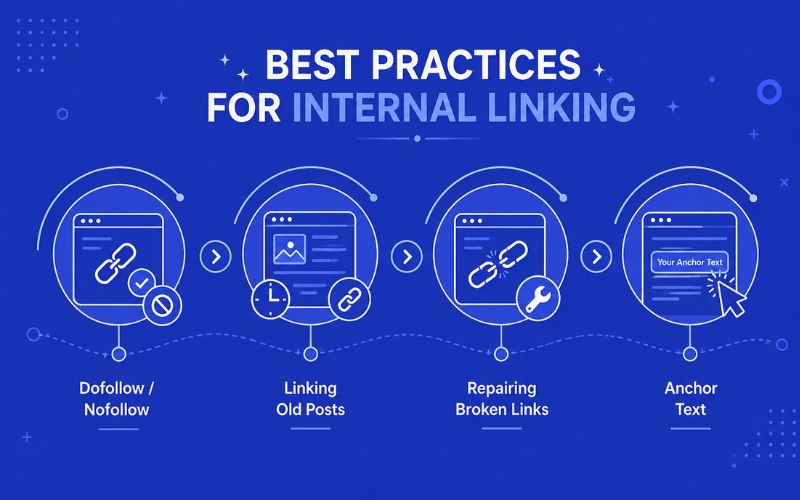
Using Dofollow/Nofollow
Dofollow is used to pass the rank of a page through internal linking. This tells search engine crawlers to identify links instead of ignoring them. However, some pages do not need to rank. Such pages can have the nofollow tag. This will tell the crawlers to ignore them.
Linking Old Posts
A new blog post must contain internal links to other older blog posts. This will allow new blog posts to take advantage of old blog posts that are already ranking on SERPs. Additionally, you should also add links to new blogs in your old blogs.
Repairing Broken Links
Sometimes an internal link on your website may break or fail. It is very important to update the content, add new content, or replace the URLs. A broken link will send crawlers and users to dead pages. A clever way to manage them is to use Content Management Systems (CMSs) that automatically identify and add redirects to broken internal links.
Anchor Text
Adding random internal links to your pages and posts might not always work. You have to make them interesting enough to make users click them. The internal link anchor text must describe the content of the page that it is linking to. Also, it is a good practice to include a particular keyword in the anchor text to improve SEO. According to Google's official link best practices, every page you care about should have a link from at least one other page on your site, and descriptive anchor text helps both users and Google make sense of your content.
How to Create a Hyperlink in HTML for Internal Linking?
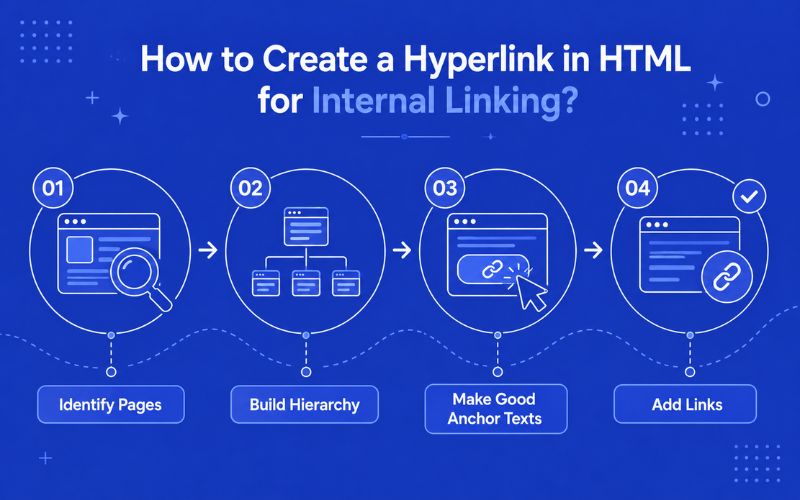
Identify Pages: Begin by identifying your main pages and supporting pages. The main pages are usually the ones that drive your core goals (homepage, product page, service page, etc.). Supporting pages usually include articles, FAQs, blogs, guides, and landing pages.
Build Hierarchy: Create a hierarchy in which a high-value pillar page sits at the top that targets the main keyword or topic. This page will be supported by cluster pages that explore related topics.
Make Good Anchor Texts: Make anchor texts that are rich in keywords and clearly describe the content of the destination page. Anchor texts play a key role in telling search engines about the linked page.
Add Links: Add internal links based on the context and goal of the page. Make sure that the link navigates to an active page instead of a dead page.
Conclusion
Internal links might seem like a small part of SEO, but they have a huge impact. Even with the introduction of AI in SEO, strategies have evolved significantly over the past few years, but internal linking remains a critical component of any successful SEO strategy. It helps search engines understand your website structure, improves user navigation, and can even increase visibility in AI-powered search experiences.
Whether you manage a small business website or a large enterprise platform, a well-planned internal linking strategy can support long-term organic growth. Businesses that partner with the best digital marketing company in Dubai often focus on a combination of technical SEO, content optimisation, and strategic internal linking to achieve stronger search visibility and sustainable rankings.
At AONE SEO Service, we help businesses strengthen their online presence through technical SEO, content optimisation, and effective internal linking strategies. By regularly reviewing and improving your internal links, you can create a more organised website that performs better in both traditional and AI-powered search results.
Contact us today to discuss your SEO requirements. Call us on +971585641811 or email us at info@aoneseoservice.ae.
FAQs
Are internal links good for SEO?
Yes, internal links are highly beneficial for SEO. They help search engines discover, crawl, and understand the relationship between pages on your website. Internal links also distribute link equity across your site, help important pages gain more authority, improve user experience, increase engagement, and reduce bounce rates.
How many internal links per page are good for SEO?
There is no fixed number of internal links that guarantees better SEO. The ideal number depends on the length and purpose of the page. Focus on adding links naturally where they provide value to users. Prioritise relevance and usability over quantity, and avoid excessive linking.
What is the difference between an internal link and a backlink?
An internal link connects one page on your website to another page within the same domain. A backlink, also known as an inbound link, is a link from an external website that points to your site. Internal and external links in SEO are equally important.
How do I check internal linking?
You can check your internal linking structure using SEO tools such as Google Search Console, Screaming Frog, Ahrefs, Semrush, or Sitebulb. These tools can identify orphan pages, broken internal links, redirect chains, and pages with too few or too many internal links.
How to do internal linking for SEO?
To build an effective internal linking strategy, start by identifying your most important pages, such as product pages, service pages, or cornerstone content. Then, add contextual links from relevant pages using descriptive anchor text that clearly explains what users can expect after clicking.